
Watch TikTok videos anonymously
Someone sent you a TikTok link but you don’t have the app or don’t want to sign in? Paste the link into Ssstik TikTok Viewer to watch the video right here, see who posted it and how popular it is.
The viewer is useful on computers at work or school where the app isn’t installed, on phones with little storage left, or simply when you’d rather not have your viewing tied to an account. Everything happens in your browser and nothing is installed.
How to use the TikTok Viewer
-

Copy the link
Copy the TikTok video link from a message, a website or the app.
-
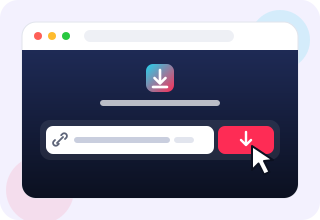
Paste it here
Paste the link into the box above and press Watch.
-

Watch or download
The video plays on this page. Use the buttons below it to download.
Why use the Ssstik TikTok Viewer?
-

Works from any link
Paste a TikTok link from a chat, an email or a website and the video opens instantly.
-

No sign-up
There is no account to create and no password to remember.
-

Private viewing
Your views are not tied to a TikTok profile and creators are not notified.
-

Quick to load
Videos start playing in seconds, even on slower mobile connections.
-

Stats at a glance
See views, likes, comments and shares next to every video.
-

Download in one tap
Keep the video as MP4 without watermark or save its sound as MP3.
Is the viewer anonymous?
Yes. You are not signed in to TikTok when you use the viewer, so the creator cannot see that you watched the video. Your visit does not appear in profile view lists, and TikTok cannot connect it to your account.
What you see for every video
Along with the player, the viewer shows the creator’s name and username, the caption, and the number of views, likes, comments and shares. That makes it easy to check whether a clip is genuine or how far a trend has spread before you share it.
Below the video you’ll find buttons to save it as MP4 without the watermark, in HD when available, or as MP3 audio.
Watch TikTok without the app on any device
The viewer works in Chrome, Safari, Firefox, Edge and Opera on Android, iPhone, iPad, Windows, macOS, Linux and Chromebooks. Videos stream at their original quality, and you can pause, seek and go full screen just like on any other video site.
Viewer vs. the TikTok app
The app gives you an endless personalised feed and requires an account for most features. The Ssstik TikTok Viewer does one thing: it plays the exact video you paste, with no feed, no algorithm, no notifications and no sign-in.
Where to find a TikTok link
In the TikTok app, tap the Share arrow under any video and choose Copy link. On tiktok.com, copy the address from your browser bar. Links shared in WhatsApp, Telegram, Messenger, Instagram or email work too: long-press the link, copy it and paste it into the box above.
Short links such as vm.tiktok.com or vt.tiktok.com are supported, so there is no need to open them first.
Is it safe to use?
Yes. The viewer does not ask for any personal information, never requests your TikTok password and does not install anything on your device. Videos are streamed over a secure HTTPS connection, and we do not keep a history of the links you paste.
Save data and storage
The TikTok app takes up hundreds of megabytes and keeps a cache that grows over time. The viewer needs no space at all: it loads one video at a time and only when you ask for it, with no autoplaying feed in the background. That makes it a light option for older phones, tablets with little free storage and limited mobile data plans.
When the viewer is handy
Checking a clip a friend sent before deciding whether to install TikTok. Watching a video on a shared or work computer without signing in. Reviewing a trending video for a news story, a class or a marketing report. Showing a TikTok on a big screen through a laptop browser. In each case you only need the link.
Respect creators
Watching is free, but the videos belong to the people who made them. If you enjoy someone’s work, follow them on TikTok, and don’t re-upload their videos without permission.
Frequently asked questions
Do I need a TikTok account to watch videos?
No. The viewer plays public videos without any account.
Will the creator know I watched?
No. Views from Ssstik TikTok Viewer are not linked to your TikTok profile.
Can I watch private videos?
No. Only public videos can be viewed.
Is the TikTok Viewer free?
Yes. Watching and downloading are free, with no limits and no registration.
Can I watch TikTok on a computer without the app?
Yes. Open Ssstik TikTok Viewer in any desktop browser, paste the link and the video plays on the page.
Can I see comments in the viewer?
The viewer shows how many comments a video has, but not the comments themselves. To read or write comments you need to open the video on TikTok.
Does the viewer work with photo slideshows?
Yes. For slideshow posts you’ll see every image, and each one can be downloaded separately.
Why won’t a video play?
The video may have been deleted, made private or restricted in some countries. Check that the link opens on TikTok and try again.
Can I download the video I’m watching?
Yes. Use the buttons below the player to save it as MP4 without watermark, MP4 HD or MP3.